Skip to content
View in the app

A better way to browse. Learn more.

Transgender Message Forum @ TGGuide.com

A full-screen app on your home screen with push notifications, badges and more.

To install this app on iOS and iPadOS
  1. Tap the Share icon in Safari
  2. Scroll the menu and tap Add to Home Screen.
  3. Tap Add in the top-right corner.
To install this app on Android
  1. Tap the 3-dot menu (⋮) in the top-right corner of the browser.
  2. Tap Add to Home screen or Install app.
  3. Confirm by tapping Install.

Oh, and talking of...

(0 reviews)

...Smashwords... because I just did...

I just went on there to check on my story downloads - and they have almost doubled since I last looked at the stats. :D

I've never uploaded a pic on here before so I hope it works. :unsure: Knowing me, I've probably got it wrong.

But this is some of that positive reinforcement we could all use now and then. I took a leaf out of someone else's book on here because, well, why not!

It made me feel good, seeing those download stats. We all need to know we're loved, don't we?
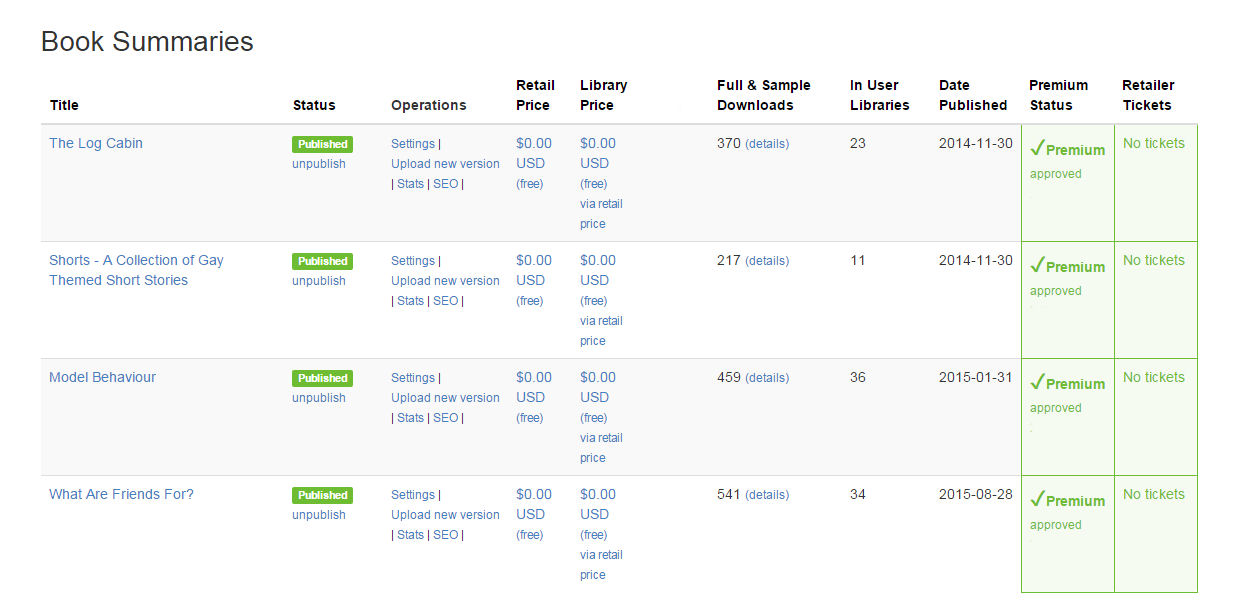
booksummary.jpg

3 Comments

Recommended Comments

eveannessant

Members

(edited)

Yeah me neither, what's it's purpose?

Edited by eveannessant

JayM

Members

It's a publishing site. People can upload their books and other people can either read them on the site (because there's a reading app on there) or download copies in various formats to other devices. There's hundreds of thousands of books on there, in all genres, fiction and non-fiction. Some you buy, others are available for free.

From my point of view, it's where I publish my finished stories. Smashwords formats them for distribution to multiple resellers. I used to publish directly on Amazon but Smashwords is easier, I think. I use another site to upload stories that are unfinished, posting them a chapter at a time. But Smashwords is where I get a lot of my reading material too - there are many brilliant authors on there. Some of my favourite authors use the site. I'm always downloading books from there.

eveannessant

Members

Thanks for this Jay,

My partner will be interested in this, if she isn't already aware of it, she loves writing....

Cheers,

Eve

Guest
Add a comment...

Account

Navigation

Search

Search

Configure browser push notifications

Chrome (Android)
  1. Tap the lock icon next to the address bar.
  2. Tap Permissions → Notifications.
  3. Adjust your preference.
Chrome (Desktop)
  1. Click the padlock icon in the address bar.
  2. Select Site settings.
  3. Find Notifications and adjust your preference.
